Voiceenhancer Explore voice tools
English

Smarter sound cleanup

Make spoken audio clearer with an ai voice enhancer

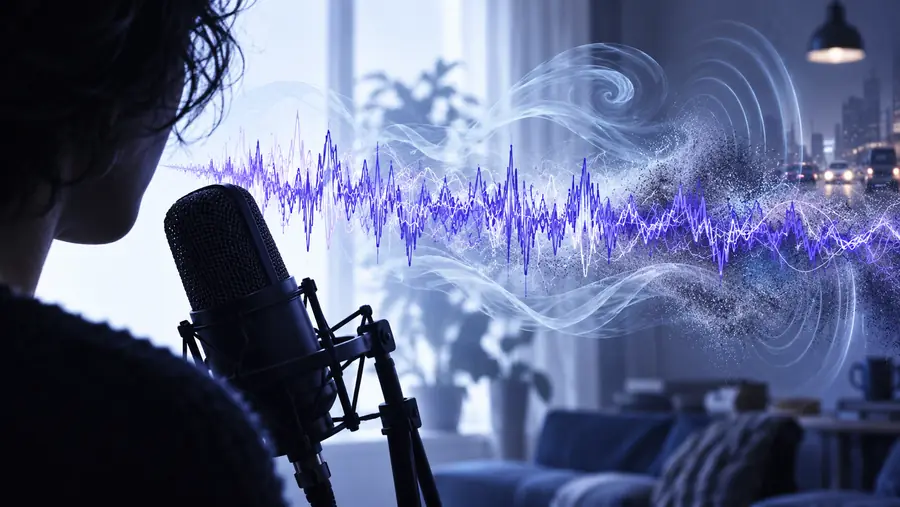
An ai voice enhancer can improve clarity, reduce distracting background sound, and make uneven recordings easier to understand. Use the prompt box to describe the result you want, then continue to the partner tool.

Describe the result you want

The practical value

AI-assisted enhancement is most useful when the problem is understandable: speech is masked, inconsistent, or surrounded by manageable noise.

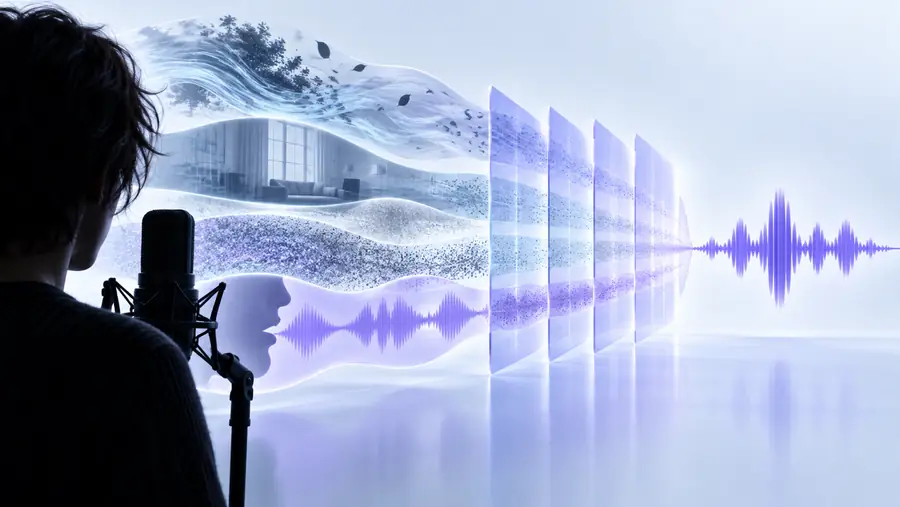
Three mechanism cards

The technology can make a recording easier to hear, but it cannot reconstruct every missing detail or make a poor source identical to a studio take.

It cannot recover words that were never captured

If speech is fully covered by clipping, heavy music, or another speaker, enhancement may not know what the missing syllables were.

Workaround

Use the cleanest source available and replace unclear phrases with a new recording when accuracy matters.
It cannot remove every kind of room sound

Steady noise is usually easier to manage than strong echo, changing traffic, or reflections that overlap the voice.

Workaround

Record closer to the microphone, reduce reflective surfaces, and compare the result at a natural level.

It cannot guarantee a natural result at maximum intensity

Too much processing can bring up breaths, artifacts, or an over-smoothed character that draws attention to the edit.

Workaround

Start with a moderate request, listen for consonants and room tone, then revise instead of pushing one pass too far.

It does not replace editorial judgment

An AI pass can improve the signal, but it cannot decide whether a pause, breath, hesitation, or background moment should remain in the story.

Workaround

Review the enhanced clip in context and keep the version that best serves the listener.

Step-by-step

A dependable workflow separates the recording problem from the creative decision about how the finished voice should feel.

  1. 1

    Describe the problem

    State what is wrong with the clip, such as distant speech, constant room noise, uneven volume, or mild echo. Specific input gives the tool a clearer target.

  2. 2

    Review the enhanced pass

    Listen for intelligibility first, then check whether breaths, room tone, consonants, and speaker character still sound believable. Compare difficult phrases rather than only the opening seconds.

  3. 3

    Choose the usable version

    Keep the result when it is clearer without becoming distracting. If the voice sounds artificial or details are missing, return to the source and adjust the request or recording setup.

Before and after

The useful comparison is not simply louder versus quieter. It is whether the speaker becomes easier to follow while retaining a believable sense of space.

Spoken recording before AI-assisted cleanup Original recording
Spoken recording after AI-assisted cleanup Enhanced version
Listen for clarity, not volume alone.

What changes between the approaches

Both approaches can improve a recording. The main difference is how much of the diagnosis and adjustment is handled by the person doing the edit.

Traditional voice cleanup
AI-assisted enhancement

Starting point

Traditional voice cleanup

The editor identifies each problem and chooses the treatment.

AI-assisted enhancement

The editor describes the desired result and lets the system analyze the clip.

Speed of first pass

Traditional voice cleanup

Often depends on experience with the recording and editing tools.

AI-assisted enhancement

Can produce a quick first pass for review when the source problem is clear.

Control

Traditional voice cleanup

Detailed control over individual decisions and processing stages.

AI-assisted enhancement

More emphasis on the requested outcome than on every internal adjustment.

Consistency across clips

Traditional voice cleanup

Requires a repeatable manual setup and careful matching.

AI-assisted enhancement

Can help apply a similar intent across related recordings.

Difficult recordings

Traditional voice cleanup

An experienced editor can make deliberate compromises around artifacts.

AI-assisted enhancement

May struggle when speech is missing, clipped, or heavily overlapped.

Final judgment

Traditional voice cleanup

Still requires listening and editorial decisions.

AI-assisted enhancement

Still requires listening and editorial decisions.

Best use

Traditional voice cleanup

Precise work where the operator needs granular control.

AI-assisted enhancement

Fast exploration, cleanup drafts, and recordings with familiar problems.

Who benefits most

The best fit is a speaker or producer with a specific listening problem and a source recording worth improving. Each scenario still needs a human check before publication.

Interview producer

A remote interview has understandable answers but a soft room hum and inconsistent distance from the microphone.

An enhanced draft can make the conversation easier to follow before the producer makes editorial cuts.

podcast voice enhancer

Course creator

A lesson was recorded in a home office, with the instructor moving slightly away from the microphone between sections.

More even speech can make the lesson less tiring to hear without requiring a full reshoot.

how to use voice enhancer online

Singer and songwriter

A demo vocal contains useful phrasing but carries room sound that competes with the performance.

A cleaner reference can help the artist judge the vocal before deciding whether to rerecord or mix it differently.

voice enhancer for singing

Video creator

A spoken clip was captured outdoors with moderate ambient sound and needs a more focused voice for review.

The creator can test whether the speech is usable before rebuilding the scene or recording a replacement.

voice enhancer online free

Limits and edges

Give your recording a clearer first pass

Use AI enhancement as an informed first pass, not as a promise that every recording can be repaired. Start with a meaningful source clip and judge the result by clarity, naturalness, and context.

Describe the recording problem and the sound you want to hear. The partner tool can help you explore an improved version, while you remain responsible for checking whether the result is accurate and natural.

Enhance my recording
  • Describe the problem in plain language
  • Review the result for artifacts and missing detail
  • Keep the original recording for comparison

Frequently asked questions

It analyzes a spoken recording and applies changes intended to improve intelligibility, balance, or unwanted background sound. The result depends on the source quality and the type of noise or distortion present.

It can often reduce steady or moderate background noise, especially when the speech is distinct from it. Changing noise, strong echo, music, and overlapping speakers are harder cases and may leave artifacts.

Neither approach is always better. AI can provide a useful first pass quickly, while manual editing offers more control when the recording needs precise treatment or careful preservation of the original character.

It may improve a distant, uneven, or mildly noisy recording, but it cannot reliably recreate detail that was clipped, masked, or never captured. A closer microphone position and a cleaner source usually matter more than any later processing.

It can sound natural when the request is moderate and the source contains enough usable speech. Listen for metallic textures, missing consonants, exaggerated breaths, or an unnaturally quiet background before using the result publicly.

Explore voice tools
Explore voice tools