
Voiceenhancer Explore voice tools
English

Podcast production

Build a Cleaner Show With a Podcast Voice Enhancer

A podcast voice enhancer helps bring spoken words forward, reduce distracting room sound, and create a more consistent listening experience. Prepare an interview, solo episode, or voice-led segment for review before publishing.

Review before publishing
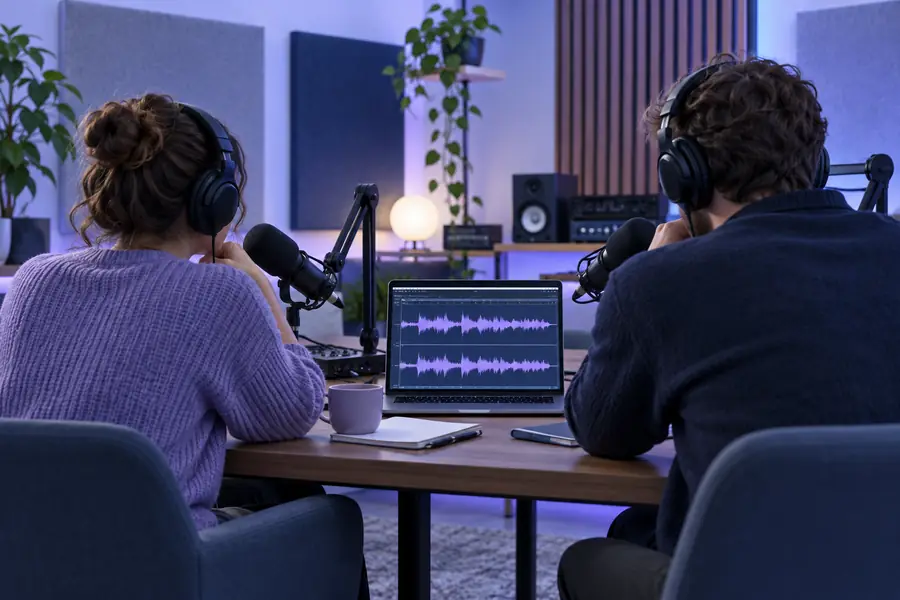
Podcast creator working with a microphone and audio waveform

How it works

Three ways to improve spoken audio

A practical podcast voice enhancer workflow focuses on intelligibility first, then consistency and a final human review.

  1. 1

    Clean the source

    Start with the recording you have and identify distractions such as steady room noise, uneven background sound, or a distant-sounding microphone. The goal is a clearer foundation without erasing the speaker’s character.

  2. 2

    Balance the voice

    Shape the vocal track so speech sits at a more consistent level from sentence to sentence. This can make interviews easier to follow when guests were recorded at different distances from their microphones.

  3. 3

    Review the result

    Listen through headphones and speakers, checking names, quiet phrases, breaths, transitions, and moments where the processing may sound too strong. Keep the version that serves the story, not just the loudest version.

Listen for the change

From distracting room sound to a more focused voice

The useful difference is not simply louder audio. It is speech that stays easier to follow while preserving the natural pacing and personality of the host or guest.

Podcast recording with uneven room sound and distant speech Raw recording
Podcast hosts speaking clearly into microphones during a recording Refined voice
Use the comparison as a listening guide: check consonants, pauses, room tone, and whether either speaker becomes harsh or unnatural.

Know the edges

Limits and edges of podcast enhancement

A podcast voice enhancer can improve a usable recording, but it cannot recreate information that was never captured or make every production decision on your behalf.

It cannot fully repair clipped audio

If a microphone overloads and the waveform is badly distorted, missing detail may not be recoverable. Enhancement can sometimes make the result more comfortable, but it cannot reliably restore the original peaks.

Workaround

Record a backup channel or leave more headroom during the next session.

It cannot separate every overlapping voice

When two people speak over one another, their frequencies and words may be mixed together. Processing may reduce some interference, but it is not a substitute for clean turn-taking.

Workaround

Edit the overlap, use separate microphones, or rerecord the unclear line.

It cannot replace editorial judgment

A clearer voice does not decide which pauses, tangents, mistakes, or sensitive moments belong in the episode. The host or editor still controls the story and tone.

Workaround

Use enhancement before the final listen-through, then make content decisions manually.

It cannot guarantee the same sound everywhere

Headphones, phones, laptops, and cars reveal different problems. A track that sounds balanced in one setup may feel too bright, quiet, or processed elsewhere.

Workaround

Check the result on at least two familiar listening systems before release.

Production view

Raw recording versus enhanced voice track

This side-by-side view shows where a voice enhancer fits: it supports cleanup and consistency while leaving publishing decisions with the creator.

Raw podcast recording
Enhanced voice track

Speech clarity

Raw podcast recording

May be softened by room sound, distance, or a low recording level.

Enhanced voice track

Speech can be brought into clearer focus for easier listening.

Background distractions

Raw podcast recording

Fan noise, room reflections, and steady ambience may compete with words.

Enhanced voice track

Some consistent distractions may be reduced, depending on the source.

Speaker consistency

Raw podcast recording

Hosts and guests may differ in loudness or microphone distance.

Enhanced voice track

The vocal presentation can feel more even across sections.

Natural character

Raw podcast recording

Preserves the original tone, including imperfections and room character.

Enhanced voice track

Can preserve character when used carefully, but heavy processing may sound artificial.

Editing decisions

Raw podcast recording

Still requires cleanup, balancing, and a focused review.

Enhanced voice track

Reduces some technical friction but does not choose cuts or episode structure.

Publishing readiness

Raw podcast recording

Needs a deliberate quality check before it is shared.

Enhanced voice track

May be closer to a usable draft, but should still be checked on multiple devices.

Next recording

Give your next episode a clearer starting point

Send a useful description of the podcast audio you want to improve, then review the result for clarity, natural tone, and story fit. A focused pass can make interviews and solo episodes easier to follow without taking editorial control away from you.

Enhance podcast audio
  • Support clearer speech
  • Review the result before publishing
  • Keep the host’s natural character

Common questions

Podcast voice enhancer FAQ

A podcast voice enhancer is a tool or processing workflow designed to make spoken audio easier to hear and more consistent. It may help with distractions, uneven vocal levels, or a distant-sounding recording, depending on the quality of the source.

It can help listeners follow the host and guest when the speakers were recorded at different distances or in different acoustic spaces. The result still needs a careful listen, especially around interruptions, names, and quiet answers.

No. Some steady or moderate distractions may be reduced, but severe noise, overlapping speech, clipping, and strong reverberation can remain difficult. Recording closer to the microphone and choosing a quieter space are still important.

No. Enhancement can support cleanup and vocal consistency, but it does not replace editing, music decisions, pacing, loudness checks, or the final quality review. It is best treated as one part of the production workflow.

Yes. The same general approach can help spoken solo episodes, interviews, discussions, and narrated segments. The right result depends on the original recording and whether the processing keeps speech natural and easy to follow.

Explore voice tools
Explore voice tools